Complete Test-Prep Solution for the Tosa Google Sheets Certification

Master Google Sheets through hands-on learning with the Isograd Learning Lab and earn the Tosa certification. This is not just a course; it’s a structured way to build real skills and prove you can use them.
Why This Course Matters
Working with data is an essential skill in today's academic and professional environments. From tracking information and managing budgets to analyzing trends and supporting decision-making, spreadsheets play a critical role in organizing and interpreting data. As Google Workspace adoption continues to grow across education and business, Google Sheets has become a valuable tool for collaboration, analysis, and productivity.
This course is designed to build a strong understanding of the tools, features, and data management concepts used within Google Sheets. Through interactive simulations and scenario-based activities, you will explore how spreadsheets are organized, calculations are performed, and data is analyzed and presented. By the end of the course, you will understand the skills and best practices needed to work effectively with spreadsheet data and prepare for industry-recognized certification objectives.


Course Content and Outcomes
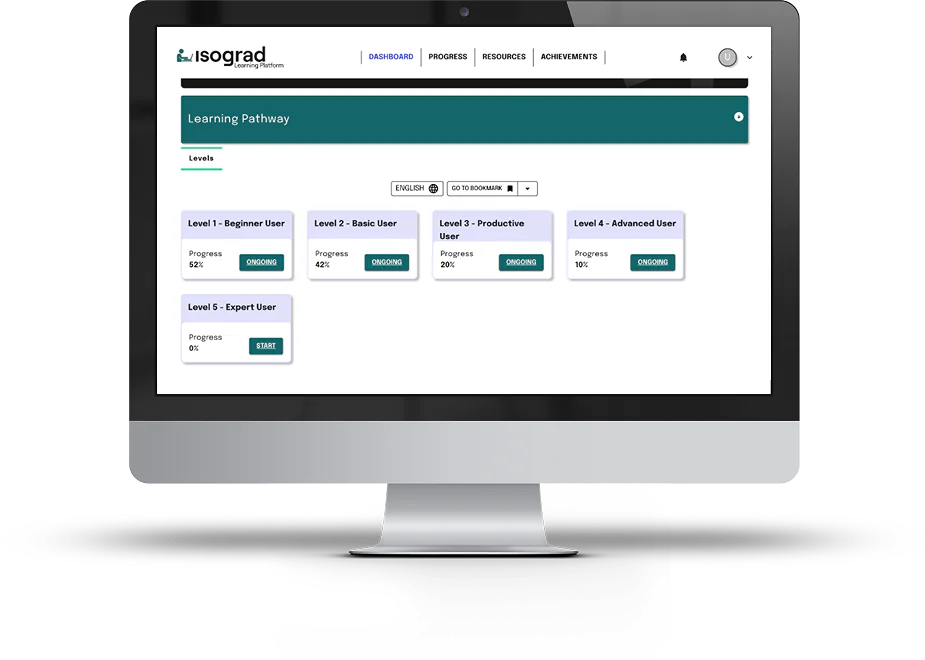
This course is designed to take learners from foundational spreadsheet concepts to a comprehensive understanding of Google Sheets functionality through a structured, progressive learning path.
By the end of the course, learners will be able to demonstrate an understanding of the key features and workflows used to organize, calculate, analyze, and present data effectively.
Key topics include:
- Understanding the Google Sheets interface, software environment, and core functionality
- Customizing the workspace and display options to support productivity
- Organizing and managing spreadsheets, worksheets, and tables
- Creating and using formulas to perform calculations and analyze data
- Understanding database functions and their role in data analysis
- Working with formulas and formula management techniques
- Creating and editing number formats and data presentation formats
- Formatting text, formulas, and data to improve readability and usability
- Applying and managing conditional formatting to highlight important information
- Using data management tools to sort, filter, organize, and analyze information
- Creating and modifying charts to visualize data and trends
- Understanding how Pivot Tables are used to summarize and analyze large datasets
- Applying spreadsheet best practices to improve accuracy, efficiency, and productivity
Each lesson builds on the previous one, following a logical progression—from setup to mastery—so learners develop skills in a connected, real-world context. This structured approach mirrors how digital skills are best acquired: incrementally and with clear, measurable outcomes.
Course Structure and Format
- Estimated duration: 25 to 40 hours
- Format: Modular lessons with guided activities and checkpoints
- Level: Beginner to Expert
Designed for flexibility and confidence-building, the Isograd Learning Lab empowers learners to:
- Learn at their own pace with 24/7 access
- Practice as many times as needed in a risk-free environment
- Build confidence through repetition and real application
The result: learners don’t just understand Google Sheets—they gain the confidence to use independently.
Hands-On Training Inside the Application
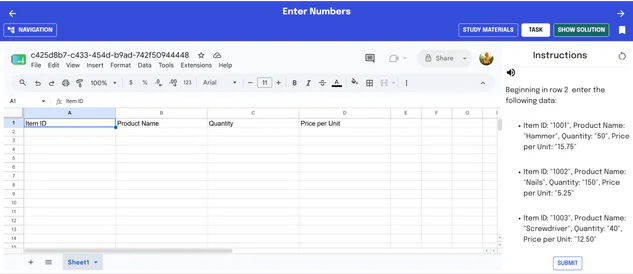
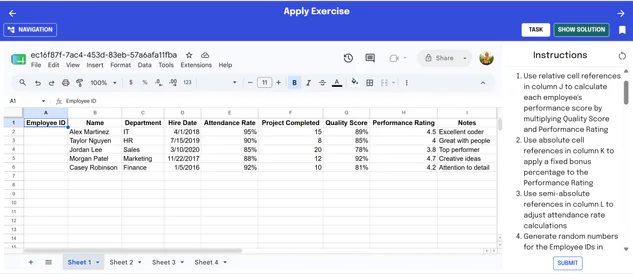
The Isograd Learning Lab is built around one core principle: you learn Google Sheets by using Google Sheets.
Instead of passively watching tutorials, learners work directly within the application environment, completing tasks, solving problems, and building real projects as they go.
How the learning experience works:
- In-application practice: Complete tasks directly in a live Google Sheets environment
- Guided, step-by-step activities: Follow structured instructions while actively performing each action
- Real-world scenarios: Apply skills through practical challenges that reflect real use cases
- Immediate feedback loops: Test, adjust, and retry to reinforce learning
- Multi-format support: Combine hands-on activities with videos, reading, and challenges
This approach aligns with proven active learning models, where engagement and retention increase when learners apply skills in context rather than merely observe them.
Built for Educators
This course is also designed to make teaching easier and more consistent. Instructors have access to:
- Structured lesson plans aligned to course outcomes
- Ready-to-use teaching materials
- Assignable activities, projects, and assessments
- Answer keys and solution support
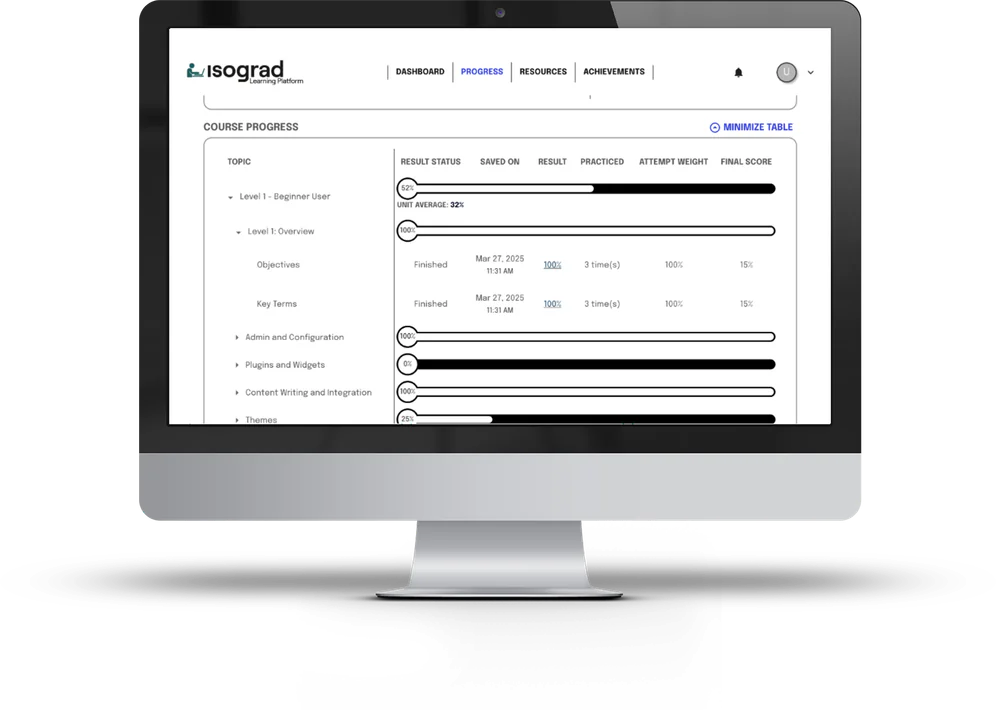
- Progress tracking and performance data
- Flexible pacing options: self-paced or instructor-led
- Customizable grading options: flexible weighting for tasks and assessments, adjustable passing scores, and attempt-based scoring rules
- Flexible delivery: work in classroom, hybrid or online environments—this allows instructors to focus on supporting learners, rather than building materials from scratch, while still delivering a strong, personalized, consistent experience
Tosa Google Sheets Certification
At the end of the course, learners have the opportunity to validate their skills with the Tosa Google Sheets certification.
The Isograd Learning Lab course for Google Sheets is 100% aligned with the Tosa certification exam’s five levels and four skill domains, and was designed after the exam blueprint.
How the Isograd Learning Lab and Tosa Work Together
The Isograd Learning Lab powers skill development through guided learning, while Tosa validates those skills with industry-recognized certification.
The activities in the Isograd Learning Lab are aligned with the types of tasks learners will encounter in the Tosa certification, ensuring a direct connection between what is practiced and what is assessed.
Accessible through a single platform and login, the learning and certification experience is streamlined and easy to navigate. This alignment helps learners build relevant, job-ready skills with confidence, knowing they are preparing for real evaluation scenarios. By the end of their learning journey, they not only gain hands-on experience but also earn a recognized credential that validates their proficiency and supports their professional development.



"I know students are unique and learn best in different ways so it is wonderful to be able to offer a variety of learning tools."