Google Docs Certification

Why certify in Google Docs?
Google Workspace programs (Docs, Sheets, and Slides) are essential for school and workplace productivity, especially as Chromebooks dominate over half of U.S. classrooms. A Google Docs certification allows students and job seekers to demonstrate their proficiency in a word processing application and supports their academic success and long-term career readiness.
Tosa certification for Google Docs measures real proficiency with no prerequisites. It’s ideal for students and adult learners seeking to validate their word processing skills.
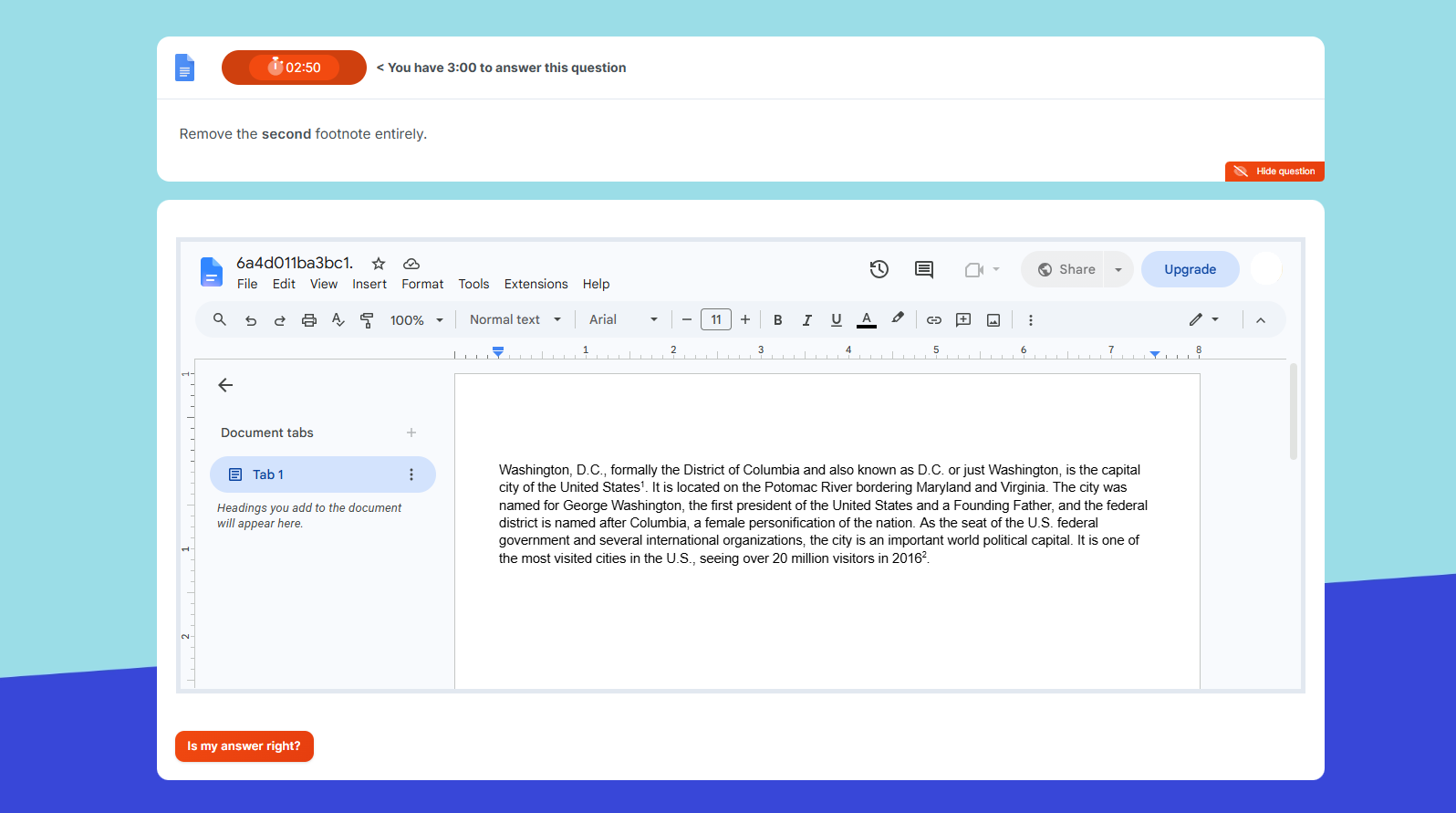
Skills Assessed
The Tosa Google Docs certification exam evaluates four key domains:
Google Docs Environment and Methods
Questions under this domain cover the most common features and their main functionalities: File, Home, Insert, and Page Setup. They also cover the different display modes in Docs.
Google Docs Page Layout and Formatting
Questions in this domain cover basic to advanced text and paragraph formatting and applying a theme to a document. This domain also covers tabs, indents, borders, margins, and page and section breaks.
Google Docs Editing Tools
Questions in this domain cover bullets and numbering, performing a search, and using spellcheck. Skills on revision tools, headers and footers, and footnotes are also assessed.
Google Docs Graphic Objects and Tables
This domain covers skills with objects in Docs documents: tables, charts, objects, clipart images, and photos. Candidates will also find questions on the functionalities of editing and moving objects.
Certification Exam Specifications
Test Format
The Tosa certification exam for Google Docs lasts one hour and uses a 35-question adaptive exam drawn from a pool of more than 180 items, including multiple-choice, interactive, and live in-application tasks. The test evaluates a candidate’s skills and knowledge in the four domains presented above and selects questions from five difficulty levels depending on the abilities of the test taker.
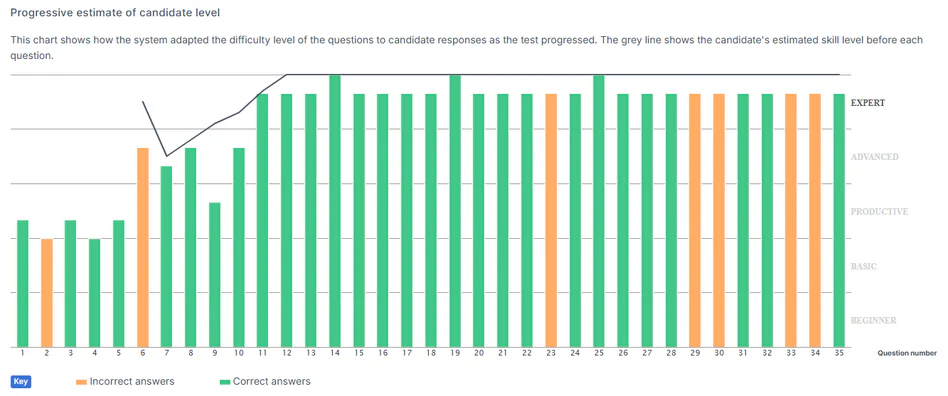
Exam Conditions
Tosa certification exams are not open book. The certification tests must be taken in a secure environment and are proctored at all times in accordance with the Tosa Exam Policy. Adaptive testing produces a unique sequence of items for each candidate, reducing the risk of cheating and item memorization. In-person and remote proctoring options are available.
Validity and Retakes
The certification is valid for 3 years. Earners may retest anytime to improve their score or to maintain their certification. There is a minimum 24-hour waiting period between two retakes. Candidates receive a new version of the test with each attempt.
Score, Proficiency Level, and Award
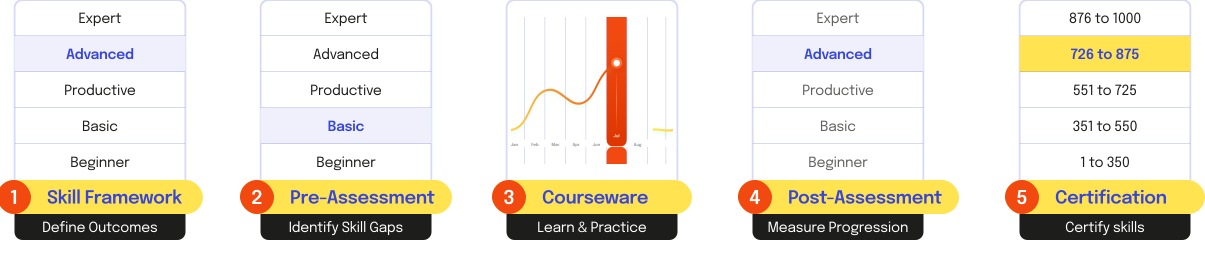
The result of the exam is a numeric score between 1 and 1000 points associated to a proficiency level. It is calculated using a pattern-scoring model (IRT). The minimum score required to earn the certification is 351. Certification earners receive a Tosa certification diploma that indicates the test date, the score, and the proficiency level achieved. It contains a unique authentication code for online verification. Earners with a score of 551 and above are also eligible to receive a Credly digital badge.
| Score | Proficiency Level | Award |
|---|---|---|
| 1-350 | Beginner | Certificate of Completion |
| 351-550 | Basic | Diploma |
| 551-725 | Productive | Diploma and Credly Digital Badge |
| 726-875 | Advanced | Diploma and Credly Digital Badge |
| 876-1000 | Expert | Diploma and Credly Digital Badge |
Preparing for a Certification Exam
Reaching a productive level or higher typically requires around 150 hours of training and hands-on practice with Google Docs, depending on prior knowledge and learning format. To prepare for the Tosa exam, we recommend that learners:
Utilize the Tosa Exam Blueprint
Take a Tosa practice assessment
Each Tosa certification includes two practice assessments to be used as a pre-course assessment and a post-course assessment. The pre-assessment helps determine the initial skill gaps to cover during the course. The post-assessment allows for progress measuring and ensures exam readiness.
Access a free sample of the Google Docs practice assessment test.
Complete a Tosa-aligned course
Validate Mastery in the Google Workspace Suite with a Tosa Certification Bundle
Tosa Certified User for Google Workspace
This credential verifies a learner's versatility and expertise in Google Docs, Sheets, and Slides. It’s available at two levels:
Experienced User
Earned by scoring 551-725 (Productive level) on all three exams.
Professional User
Earned by scoring 726+ (Advanced or Expert level) on all three exams.
How to earn the Tosa Certified User for Google Workspace credential?
The Tosa Certified User for Google Workspace credential is automatically awarded after completing and earning at the minimum required score the Tosa Google Sheets, Tosa Google Docs, and Tosa Google Slides individual certifications. The Tosa Certified User for Google Workspace Diploma is issued and emailed to the earner within 5 business days from completing the last of the three exams.
Explore the Bundle +Ready to start certifying?
K-12 Education
Prepare your students for a rapidly evolving world. Equip them with essential digital skills for future academic and career success.
Learn MoreHigher Education
Provide scalable, industry-aligned digital skills assessments, exams, and certifications that prepare your students for the workforce.
Learn MoreAdult/Workforce Education
Upskill current and new employees or trainees with the digital competencies they need to stay competitive in today's evolving workforce.
Learn MoreIndividuals
It's time to stand out with Tosa certifications, the international standard for measuring digital skills. Prove your expertise to employers with verified credentials.
Get Started